
Cleaning Service Landing Pages: Build a Quote Flow That Fits the Job
- Landing Page Guides
- 6 min read
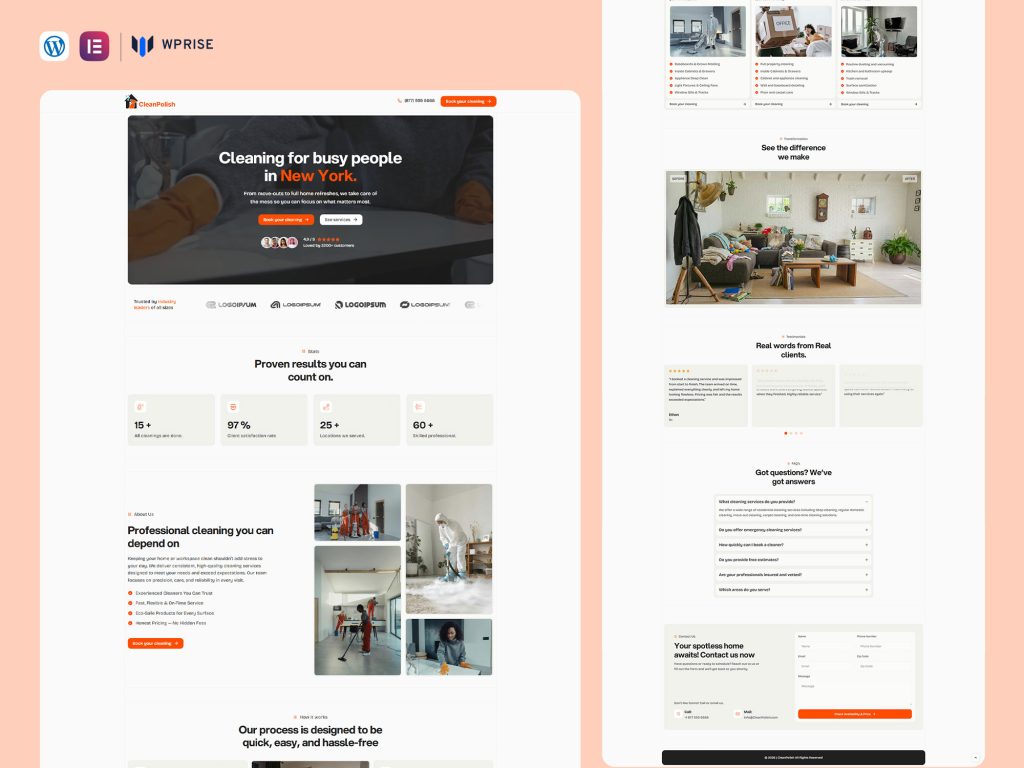
A cleaning service landing page needs to answer a question that sounds simple but often is not: “What would it cost to clean my space?” The answer depends on the service, property, condition and frequency. A useful page explains those factors without forcing a visitor through a long questionnaire before they know what is offered.
This guide focuses on quote design for cleaning businesses. You will find a service comparison, sample page structure, practical form fields and ways to adapt WPRise’s CleanPolish and TotalClean templates.
Do not combine different jobs under one unexplained price
Recurring home cleaning, a one-off deep clean and office cleaning involve different decisions. Start by choosing the service that matches the campaign. A page aimed at homeowners should not open with a corporate facilities pitch, and an office manager should not have to work around a bedrooms-and-bathrooms form.
| Service | Information needed for a quote | Expectation to clarify |
|---|---|---|
| Recurring home cleaning | Property size, location and desired frequency | What a regular visit includes |
| One-off or deep cleaning | Scope, property condition and priority areas | Whether extra tasks require an adjusted quote |
| Office cleaning | Space type, approximate area and access hours | Whether a site visit is needed |
These are recommended quote inputs, not universal pricing rules. Match the fields to how your team estimates work. If an answer would not change the next step, consider collecting it later.
Make the first screen specific
Lead with a service and the genuine area served. A useful example is “Recurring home cleaning with a plan built around your space.” Follow it with your location, a brief explanation of the service and a button such as “Request my cleaning quote.” Avoid a headline that promises every kind of cleaning to every type of customer.
Show a real team or work image when available. A recognizable result is more useful than an unrelated luxury interior. Keep the first action visible on mobile and make the phone route available to someone who needs to discuss the job.
Publish an inclusion list people can compare
Write the regular service scope as clear tasks. Then explain optional additions and exclusions. For example, a business might offer interior appliance cleaning as an optional addition rather than part of every visit. Use only tasks that reflect the company’s actual service.
Place qualifications beside the offer. If a starting price assumes a property size, service frequency or condition, state those assumptions close to the price. Avoid an enticing fixed number followed by a surprise after submission. If all jobs are individually quoted, explain why and what the team uses to prepare the estimate.
An effective page sequence is: service promise, coverage, inclusions, frequency options, evidence, quote process and common questions. That gives visitors enough context to complete the form without turning the page into an operations manual.
Use a quote form with a useful first step
For residential cleaning, start with postcode, property size, service type, frequency and one contact method. Bedrooms and bathrooms may be a practical size proxy if that is how the business quotes. For commercial work, ask for approximate floor area or premises type instead.
If you offer several services, use conditional fields only when the form tool supports them reliably. A customer selecting office cleaning should not be required to enter a bedroom count. A simpler alternative is a separate, short form for each main service page.
Keep access instructions and detailed room-by-room requirements for the follow-up conversation unless they are necessary for the first estimate. Explain that an enquiry is not a confirmed appointment, and state when the team reviews quote requests.
Turn reviews and photographs into useful proof
A genuine review about reliable recurring visits belongs near the recurring-service offer. A review about a one-off job may be more relevant beside a deep-clean section. Do not invent reviews, ratings, team photos or insurance claims to fill imported sections.
Use captions to give photographs context: the type of space, the work shown and any limitations. Avoid implying that a customer gave permission for their property to be featured when that has not been established. A small set of real, relevant images is enough to begin.
Adapt CleanPolish or TotalClean
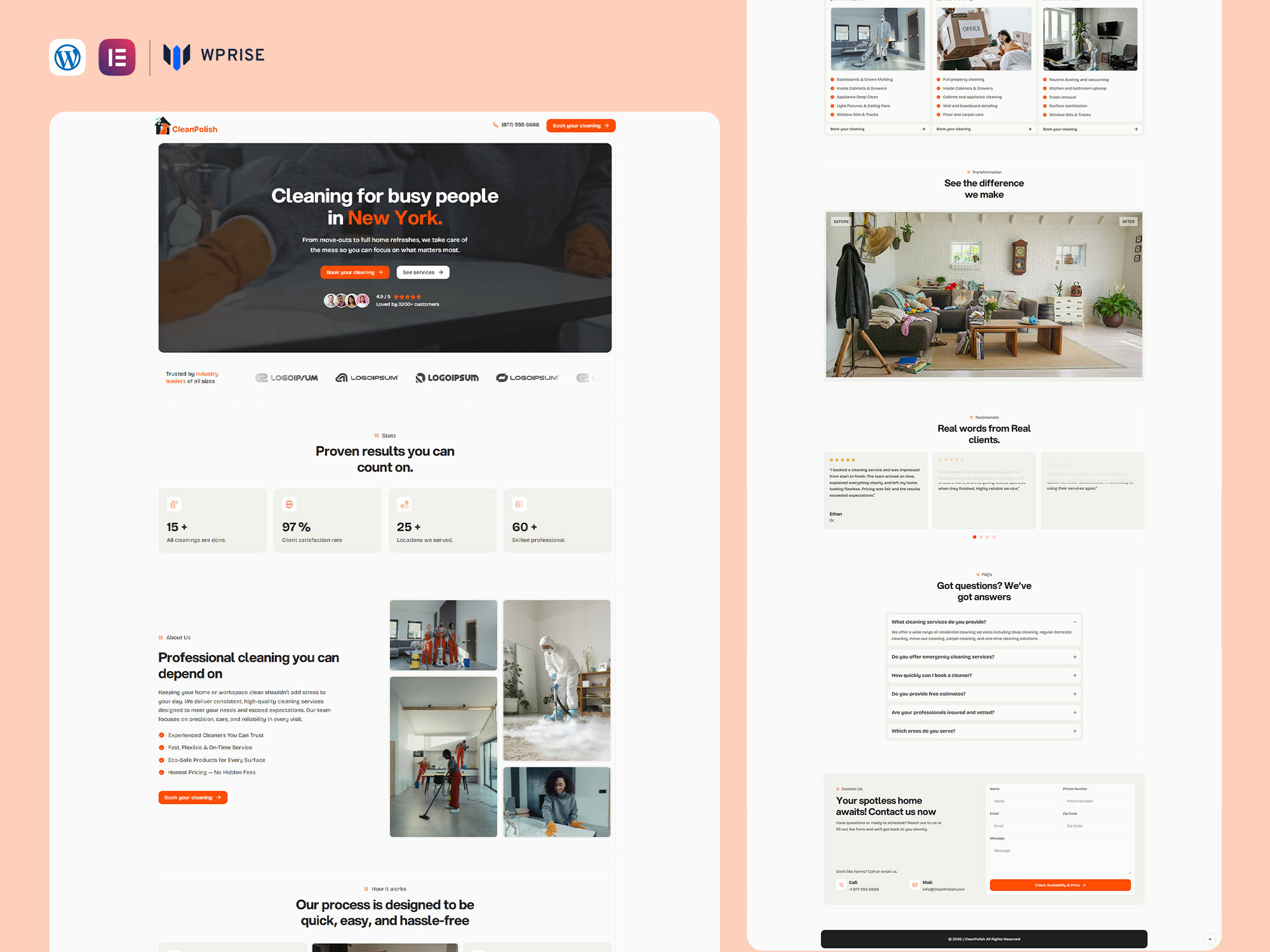
CleanPolish is our Elementor cleaning services landing page for home, office, deep-cleaning and maintenance businesses. The listing describes service highlights, testimonials, contact forms and call-to-action sections. Use the service blocks to distinguish what is included before the quote request.
TotalClean also targets cleaning services and explicitly lists pricing tables alongside service and contact sections. Review its preview if you have clear packages or frequency-based plans to present. If your prices need assessment, repurpose the pricing area to explain scope rather than publishing invented amounts.
Both are design options, not evidence of a particular conversion rate. Check their current requirements and configure forms, notifications and any booking connection. Follow the WPRise import process, then remove demo details before launch.
Connect service intent to search visibility
Use the actual service phrase and area in the business page title. “Office cleaning in your town” and “deep cleaning for moving out” represent different needs; separate pages make sense when the content and service are genuinely different. Avoid making dozens of near-identical location pages.
Answer practical questions in the body: what is included, whether supplies are provided, how frequency affects the proposal and how access is arranged. Link to related service pages where they help the visitor choose. For a broader local-service design perspective, see our landscaping landing page guide.
Test the quote process as a customer
Send one test request for each service type. Confirm the right details reach the right inbox and that required-field errors are understandable. Test from a phone while logged out of WordPress. Check the thank-you message, reply address and any follow-up instructions.
After launch, compare enquiries with quotes issued and jobs accepted. If many customers expect tasks you exclude, revise the inclusion list. If frequent out-of-area enquiries consume time, move coverage information above the form.
Should I show prices?
Show them when the scope and conditions can be explained accurately. Otherwise describe the quote process and the factors that affect it.
Should every field be required?
No. Require what the team needs to respond meaningfully, and leave nonessential detail optional. Begin with the service brief, then choose CleanPolish or TotalClean to present it clearly.