
Chimney Sweep Landing Pages: Turn Service Searches into Bookings
- Landing Page Guides
- 6 min read
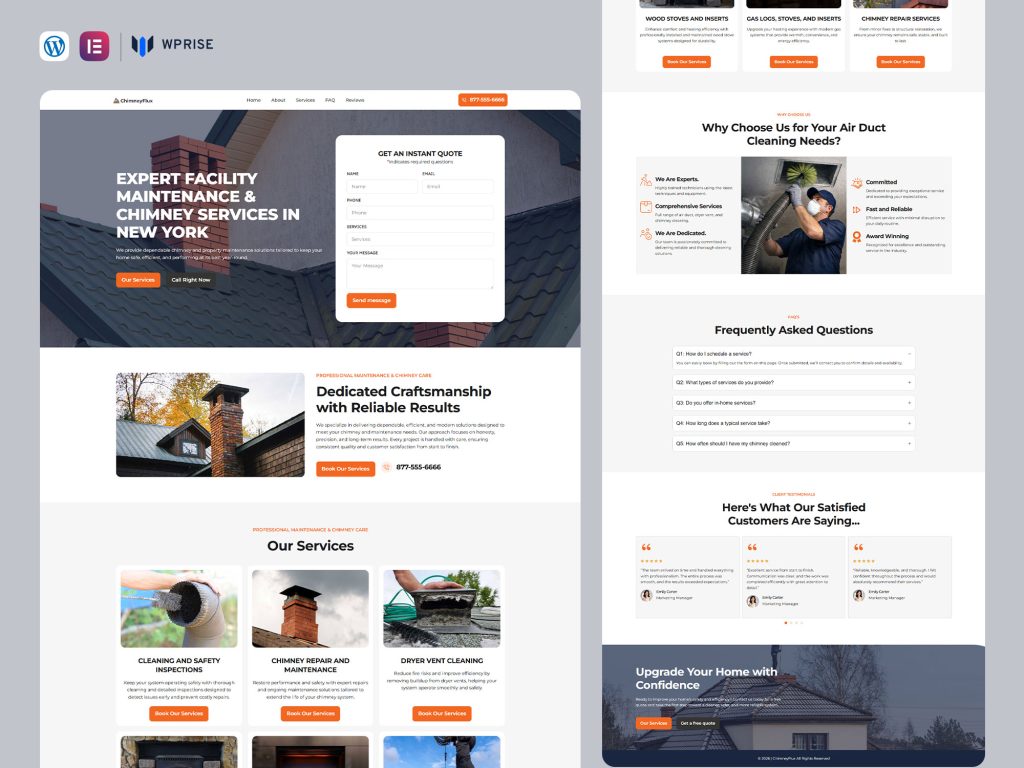
A chimney sweep landing page has a practical job: help someone understand what appointment they are requesting. Cleaning, inspection and repair can mean different visits, different preparation and different pricing. A page that treats them as one vague “chimney service” makes the office do all the explaining later.
Use this blueprint to build a focused booking page in WordPress, with service distinctions, sample content and two relevant WPRise Elementor templates. The aim is a useful appointment request, not a form submission that leaves both sides uncertain.
Separate the services before designing the page
List the work the business actually accepts. Decide whether the campaign is promoting sweeping, an inspection appointment, repair enquiries or a combination. Describe those categories in the business’s own operational language; do not imply that every visit includes every service.
| Service route | What the page should explain | Useful initial detail |
|---|---|---|
| Sweeping | What is included and what may require a separate visit | Appliance or fireplace type, if known |
| Inspection request | Purpose of the appointment and how findings are communicated | Reason for the request |
| Repair enquiry | How the team assesses the work before quoting | Short description and optional photos |
This table is a planning model, not a technical definition of chimney services. Have the business owner confirm the descriptions and any professional terminology before publishing.
Write a headline around the appointment
A useful first screen might say: “Chimney sweeping appointments in the local service area,” followed by a sentence explaining how to request availability. Replace the location with the genuine operating area. “Request a chimney sweep” is clearer than “Discover excellence” because it describes what the visitor is about to do.
Put the service area and appointment route close to the action. If the team cannot offer instant scheduling, label the button “Request an appointment” rather than “Book now.” Explain that a staff member will confirm the slot. This small distinction prevents a submitted form from being mistaken for a guaranteed booking.
Give the reader a clear visit outline
After the opening section, explain the process in plain language. A simple outline could cover request review, appointment confirmation, arrival arrangements and the discussion of findings. Include what customers should tell the office beforehand, such as access constraints or an appliance type they already know.
Keep technical and safety claims accurate and specific to the service. Avoid absolute assurances such as “your chimney will be completely safe” or a blanket claim that one visit solves every problem. The landing page should help someone arrange an appropriate professional visit.
State whether the visit price is fixed, starts from a defined amount or requires assessment. If you use a starting price, explain the conditions beside it. Do not place a large introductory price in the hero and hide the qualifying information in tiny text at the bottom.
Show proof that answers a local customer’s questions
Use real staff photographs, clearly described qualifications and reviews that you have permission to publish. A useful testimonial describes the experience of the visit rather than simply saying “Amazing!” Keep the original meaning and do not manufacture ratings or review counts.
A small project or visit gallery can explain the business better than a large collection of generic fireplace images. Add captions describing the service shown and the location at an appropriate level of detail. Do not expose a customer’s address or private property information.
Coverage should be equally concrete. Name the areas served, explain any travel limitations and give the visitor a way to check an uncertain address. This makes local relevance useful to the reader rather than a list of place names written only for search engines.
Build a short appointment request form
- Name and preferred contact method.
- Postcode or service location.
- Requested service: sweep, inspection enquiry or repair enquiry.
- Appliance or fireplace type, with an “unsure” option.
- Preferred availability, clearly labelled as a preference.
- An optional note for access or other relevant details.
Avoid forcing a new customer to diagnose a technical problem. The form should collect information that helps the office respond, not demand specialist knowledge. After submission, state whether the next step is a phone call or email and when the business normally reviews requests.
Adapt ChimneyFlux or ChimneyGuy to the booking flow
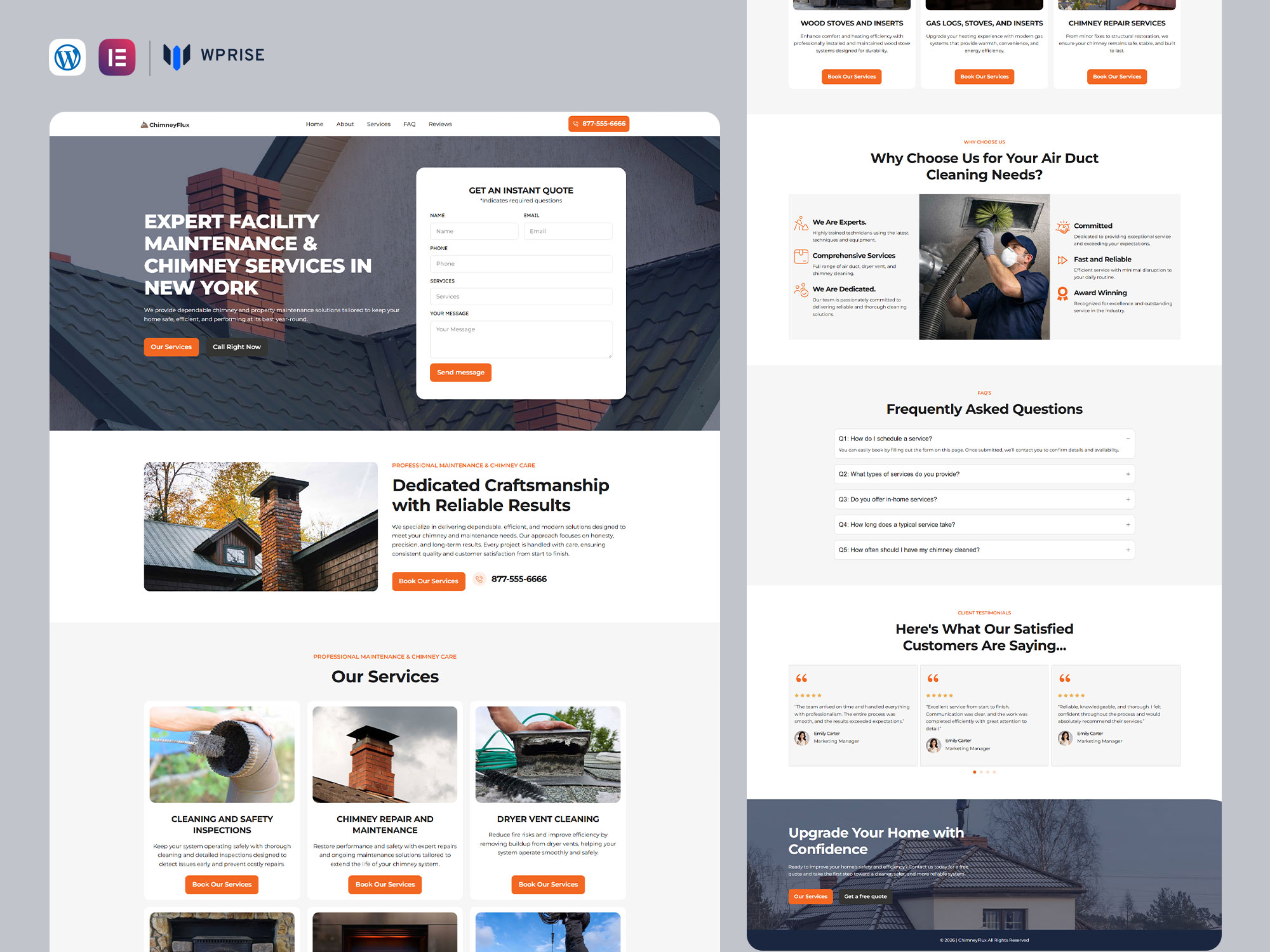
ChimneyFlux is our Elementor chimney sweep landing page with lead-capture forms and service-focused content areas described in its listing. Use those areas to distinguish the appointment types and explain the request process.
ChimneyGuy lists service sections, testimonials, contact forms and call-to-action areas. It is another relevant design to review if those sections match the material you have ready. Compare the previews for visual fit and mobile readability rather than assuming one will generate more bookings.
Both templates need business-specific configuration. Replace example phone numbers, connect the form to a monitored inbox and check whether your preferred appointment tool needs separate setup. A booking-shaped section in a design is not proof of a connected calendar.
Make the page discoverable without duplicating it
Target one clear phrase, such as “chimney sweep landing page” when writing about the website design, or “chimney sweep in your town” on the actual service page. The reader and search intent are different. A WPRise article helps a business build a page; the business page helps a homeowner request a visit.
For the service website, write a descriptive page title, use one main heading and add useful service information beneath it. Create another location page only when you can add genuinely different local content. Google’s spam policies warn against doorway pages created around similar searches without useful added value.
Check the journey before buying traffic
On a phone, test the call link, every form field and the confirmation message. Check that the keyboard does not cover the submit button. Send a request with an unfamiliar postcode and confirm how the office will respond. Ask a colleague to read the page and explain what is included in the appointment; if their answer differs from yours, rewrite the scope.
Track confirmed appointments as well as enquiries. If many requests are for repairs when the campaign promotes sweeping, adjust the service choices and headline. If people repeatedly assume their preferred date is confirmed, clarify the form labels.
Should a seasonal offer be included?
Only if the business can fulfil it. Show the real terms and remove the promotion when it ends. A useful evergreen appointment page should still make sense without a countdown.
Where should I begin?
Write the actual service scope and request process first, then choose ChimneyFlux or ChimneyGuy. Follow the WPRise import guide and use the design to present those decisions clearly.